
OptiDraw
Production ReadyAdvanced Mesh Painting Tool for Unity
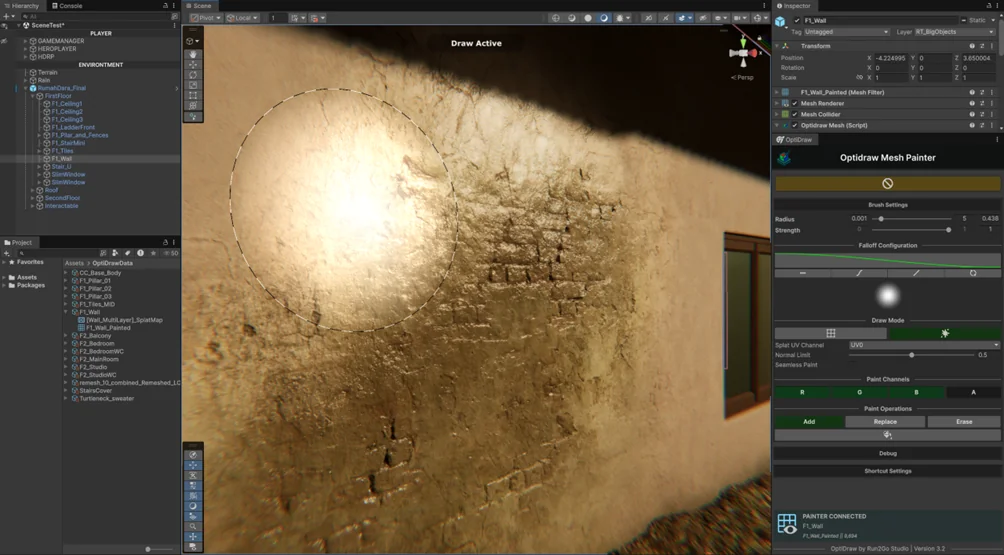
Bring the power of AAA texturing workflows directly into the Unity Editor. OptiDraw delivers a frictionless, zero-lag painting experience for both static and animated meshes. Built with Unity Burst and GPU acceleration, supporting Adobe Substance-style UDIMs, multi-submesh painting, splat painting, and high-precision vertex manipulation.
Documentation Articles
Overview
Introduction to the OptiDraw Core System — architecture, ScriptableObject-driven design, and initial setup.
Data Management (Scriptable Object)
How OptiDraw stores painting data in modular, reusable ScriptableObjects for seamless project integration.
Painting Engines
Overview of all painting engines: Vertex Paint, Splat Paint, UV-Based Paint, PBR Paint, and Animation Draw Mode.
Advanced Draw Features
OptiDraw Layer System, UDIM multi-channel support, Auto Mask Generator, Bake Mesh Data, and Pentab pressure sensitivity.
Performance & Optimization
Burst compiler + GPU dispatch pipeline, batching, and performance-first guidelines for high-poly and mobile targets.
Template Shader
Plug-and-play template shaders pre-wired for OptiDraw data output — covers Vertex, Splat, and PBR modes.
Shader Graph Custom Support
Extend OptiDraw into any custom Shader Graph pipeline — node wiring, data channel mapping, and UDIM configurations.
Texture Channel Packer
Free built-in utility to merge Metallic, Smoothness, AO, and Height into a single RGBA map for maximum VRAM efficiency.
Troubleshooting
Common issues, diagnostic steps, and fixes for OptiDraw setup and runtime problems.
Splat Painting not Supported by Mesh
Root cause and fix when a mesh lacks the UV channels or topology required for Splat Paint mode.
Splat Painting not Supported by Shader
How to configure or replace shaders that are missing the splat data sampling nodes required by OptiDraw.
Notes
Known limitations, editor version compatibility notes, and deliberate design decisions in OptiDraw.
Technical Capabilities
Performance Specs
Performance
Burst + GPU Accelerated
Mesh Support
Static & Skinned Renderers
Asset Store Rating
5.0 ★ Top Tier Tool