
About OptiDraw
OptiDraw was born out of pure creative frustration. As a developer, the constant friction of switching between external digital content creation (DCC) apps just to tweak vertex colors or mask data felt like a significant bottleneck in the creative flow. The 'context-switching tax' not only drained time but also stifled the iterative process of environment and character look-dev.
What started in 2023 as an internal editor tool to solve these personal workflow hurdles has since evolved through continuous refinement and real-world testing into a comprehensive, high-performance painting suite designed specifically for the Unity ecosystem.
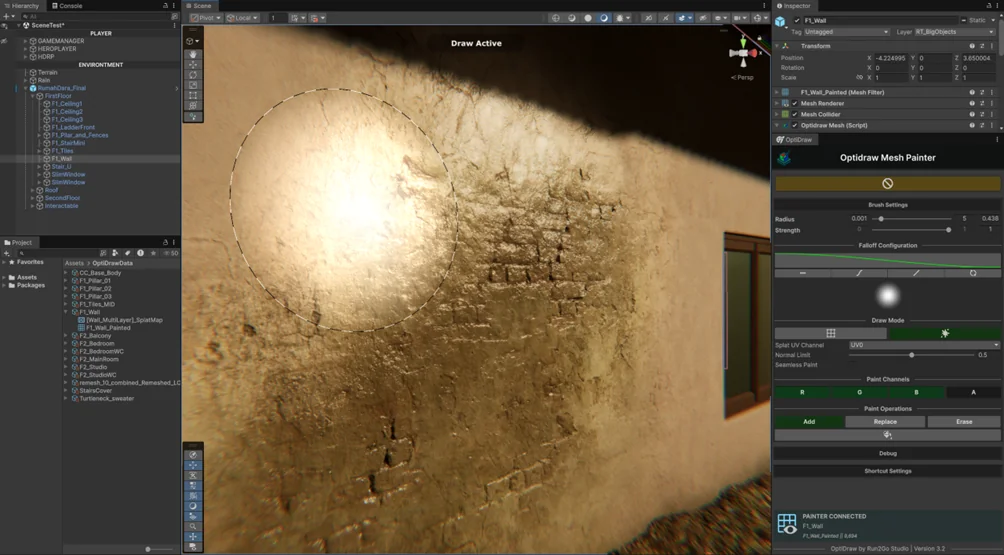
The name OptiDraw represents two core pillars: Optimization and Optimal Workflow. Unlike traditional painting tools that feel 'tacked on' to the engine, OptiDraw is built from the ground up to feel like a native part of the Unity Inspector. By leveraging modern Unity technologies like the Job System and Burst Compiler, OptiDraw provides a lag-free experience even when painting on high-density meshes or during active skeletal animations.
Setup Guide
Getting started with OptiDraw is frictionless. Access the painter window directly from the Unity top navigation bar.
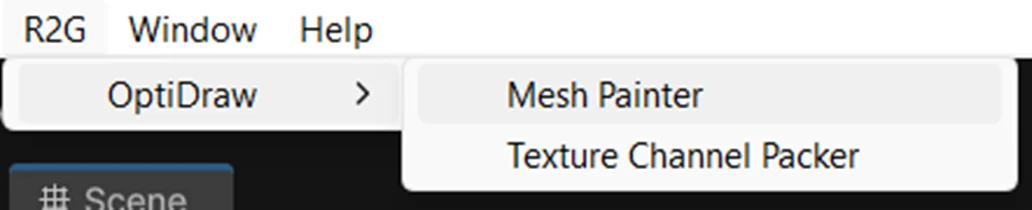
Dock the OptiDraw window anywhere in your layout. Select any GameObject containing a MeshRenderer or SkinnedMeshRenderer to initialize the painter context.
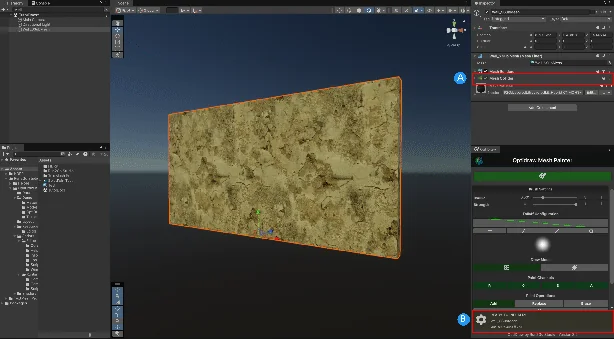
Dockable OptiDraw Window Layout & Controls
Automatically Added on Game Object when it’s clicked
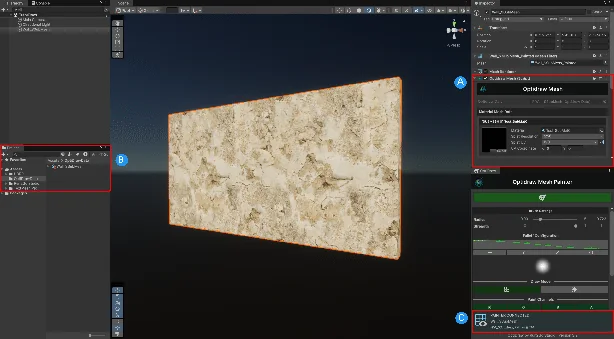
Hierarchy Selection & Mesh Inspector Association
Automatically added when you press [B] / Draw Mode
Mesh & Shader Compatibility
OptiDraw automatically inspects selected GameObjects for mesh topology, submeshes, and shader keywords to ensure real-time visual fidelity.
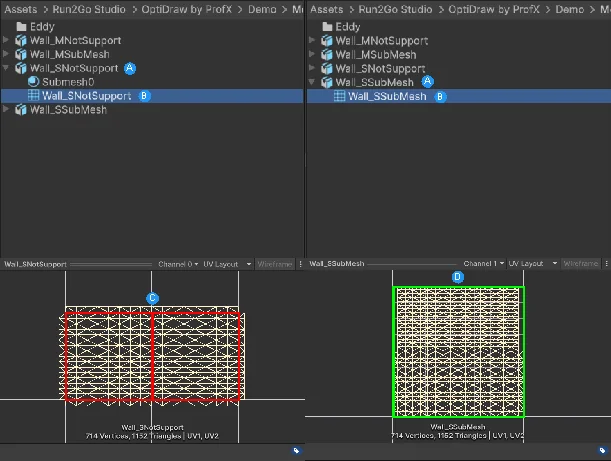
Mesh Compatibility Verification (MeshRenderer & SkinnedMeshRenderer)
Automatically Added on Game Object when it’s clicked
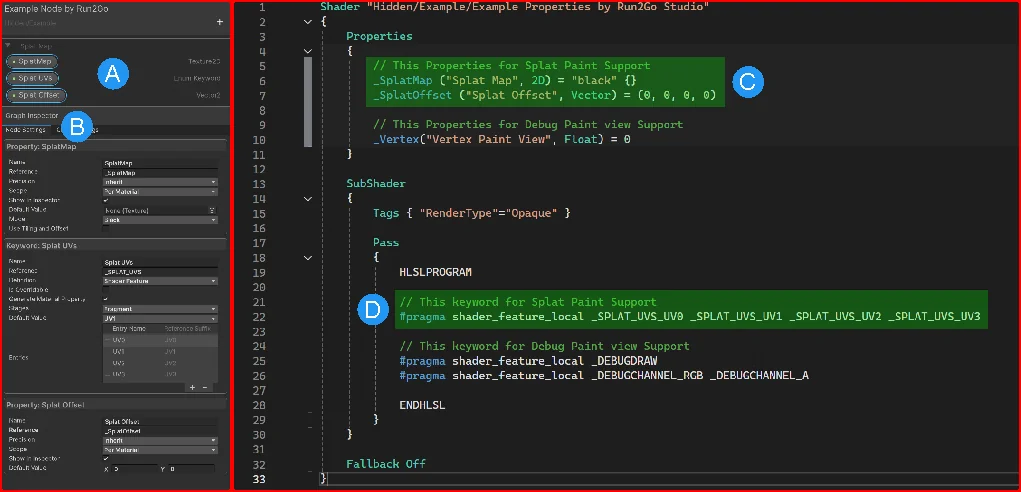
Shader Compatibility & Property Detection in the Inspector
This displays the exposed properties within the Shader Graph. These properties (such as SplatMap, Splat UVs, and Splat Offset) must be properly defined so they can be accessed and modified by OptiDraw.
Core Architecture
- ScriptableObject-driven data model — painting data is modular, reusable, and version-controlled alongside your assets
- Job System + Burst Compiler for all raycasting and brush falloff calculations, keeping the main thread free
- GPU-side texture read/write via AsyncGPUReadback for non-blocking pixel operations
- Multi-submesh awareness — OptiDraw tracks UV islands per submesh and routes strokes correctly
- Zero runtime footprint — all OptiDraw logic is editor-only; nothing ships in your build
OptiDraw works on both MeshRenderer (static) and SkinnedMeshRenderer (animated) components with no configuration difference — simply select the GameObject and start painting.
System Requirements
- Unity 2022.3 LTS or newer (Unity 6 recommended)
- Burst package 1.8+ (installed automatically via Package Manager)
- Any Render Pipeline: Built-in, URP, or HDRP
- Windows, macOS, or Linux editor