
Error: Splat Painting not Supported by Shader
This warning appears when the mesh's assigned material uses a shader that does not read UV2/UV3 splat weight channels. OptiDraw can write the data to the mesh, but if the shader ignores it, the painted blend weights have no visual effect.
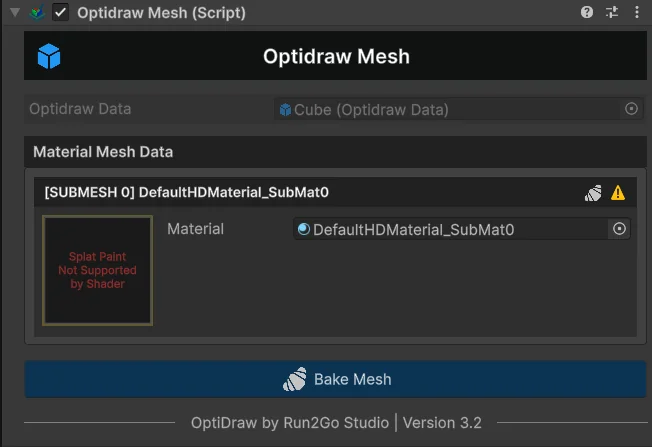
Quickest Fix — Use a Template Shader
- 1Select the material assigned to your mesh
- 2Change the shader to OptiDraw/SplatBlend (or the URP/HDRP variant)
- 3Assign your 4 texture sets in the material Inspector
- 4Splat Paint will now produce visible results immediately
Fix for Custom Shaders — Shader Graph
If you need to keep a custom shader, add UV2 sampling to it:
- 1Open your Shader Graph
- 2Add a UV node, set channel to UV2
- 3Split the RGBA output: R = Layer 1 weight, G = Layer 2 weight, B = Layer 3 weight, A = Layer 4 weight
- 4Use each weight as a Lerp factor between your texture samples
- 5Repeat with a UV3 node for layers 3 and 4 if you need more than 2 blend layers
OptiDraw validates shader compatibility when you switch paint modes. If it detects a custom Shader Graph with the _OptiDrawSplat property declared, it skips this warning automatically.